

Passbolt "Passwort-Vault" Extension for KNIME
Do you leave the keys to your credential store right next to it?
Passbolt
One System = One Vulnerability
If your ETL-Application, that also holds your credentials, gets compromoised, your business as a whole is too.
Minimize the Blast-Radius
Isolating your ETL-Application from your Passwort-Vault, improves security while offering more functionality.
Passbolt Passwort-Vault in a Nutshell
Benefits of the passbolt KNIME-Extension?
KNIME alone
Passbolt Extension + KNIME
Digitaly sovereign / On-Prem hosting
Interoperable: Use across all devices
Programm-/ & Security-Layer separated
Password Data-Types
Passwords
TOTP (2FA)
Notes
Management
Create, modify, share, delete
via KNIME-Nodes
Colors, Icons, Folders and Tags
Audit Logs accessible in KNIME
Rate-Limiting
Passbolt KNIME-Workflow Examples
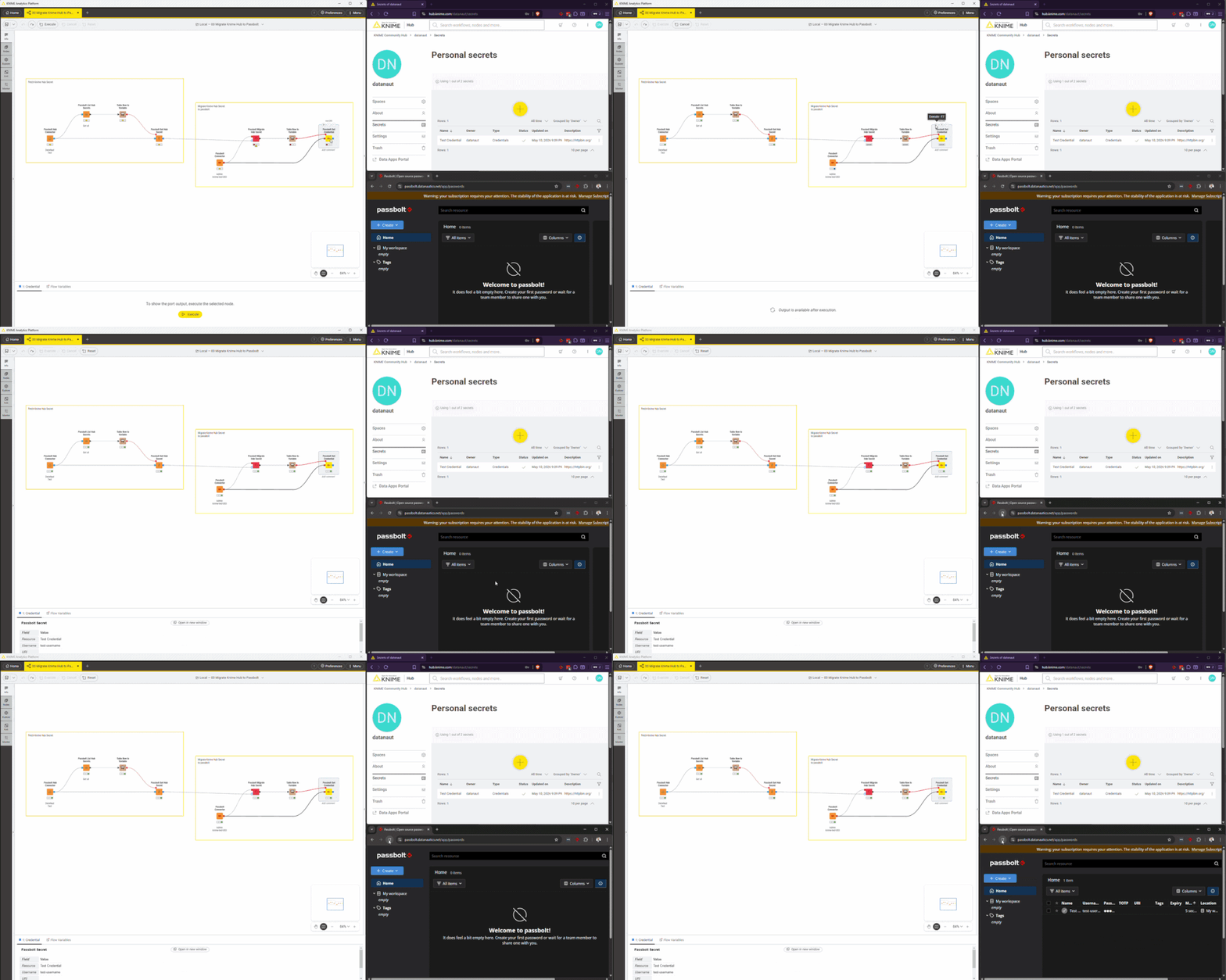
MIgrate from Knime Secret Manager to passbolt
- Generate an Application Password in the Hub
- Execute the Workflow
- Done
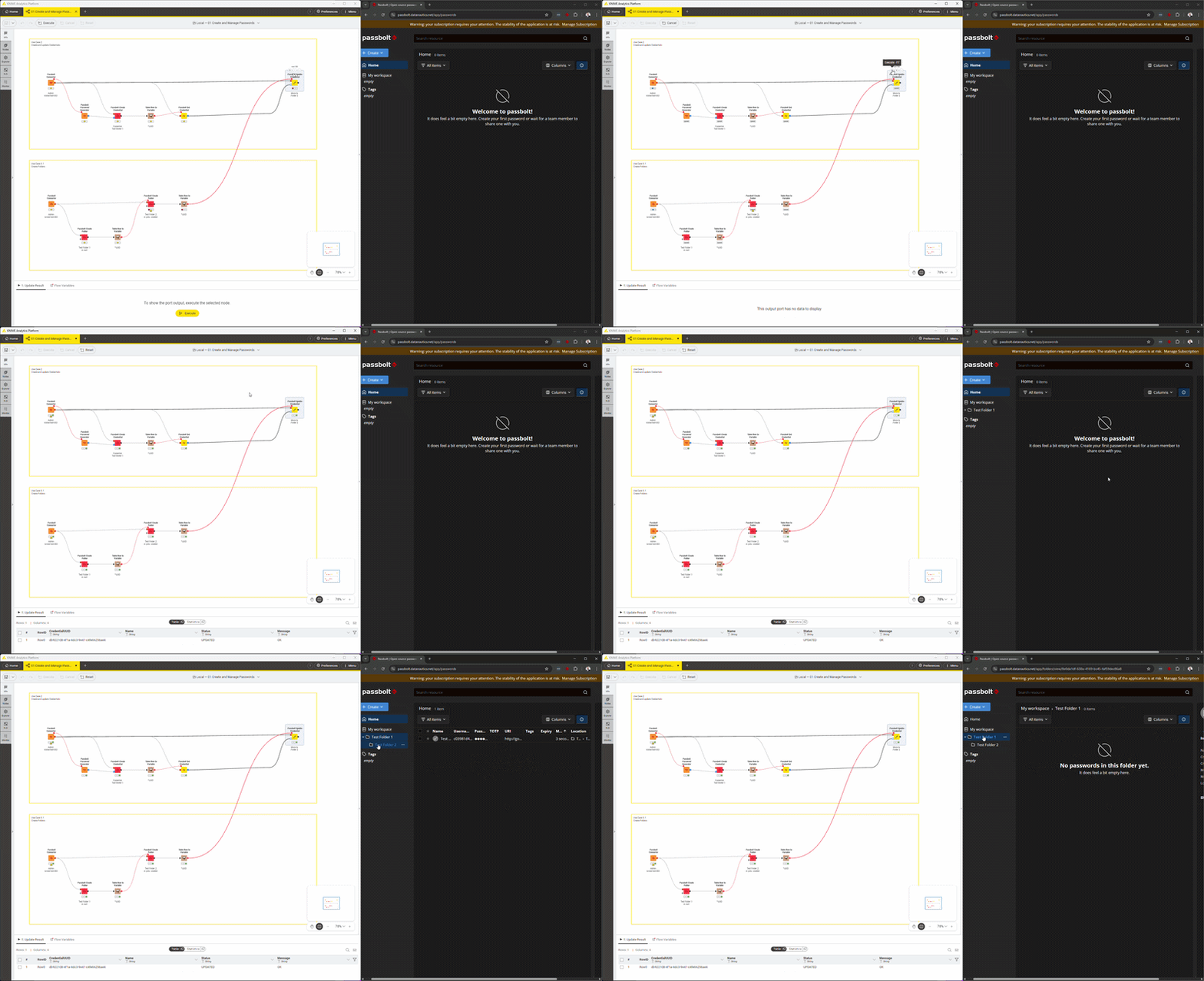
Create, update and manage Passwords
- Create Password and Folders
- Pass ID of Folder and Credntial to Update Credential Node
- Done
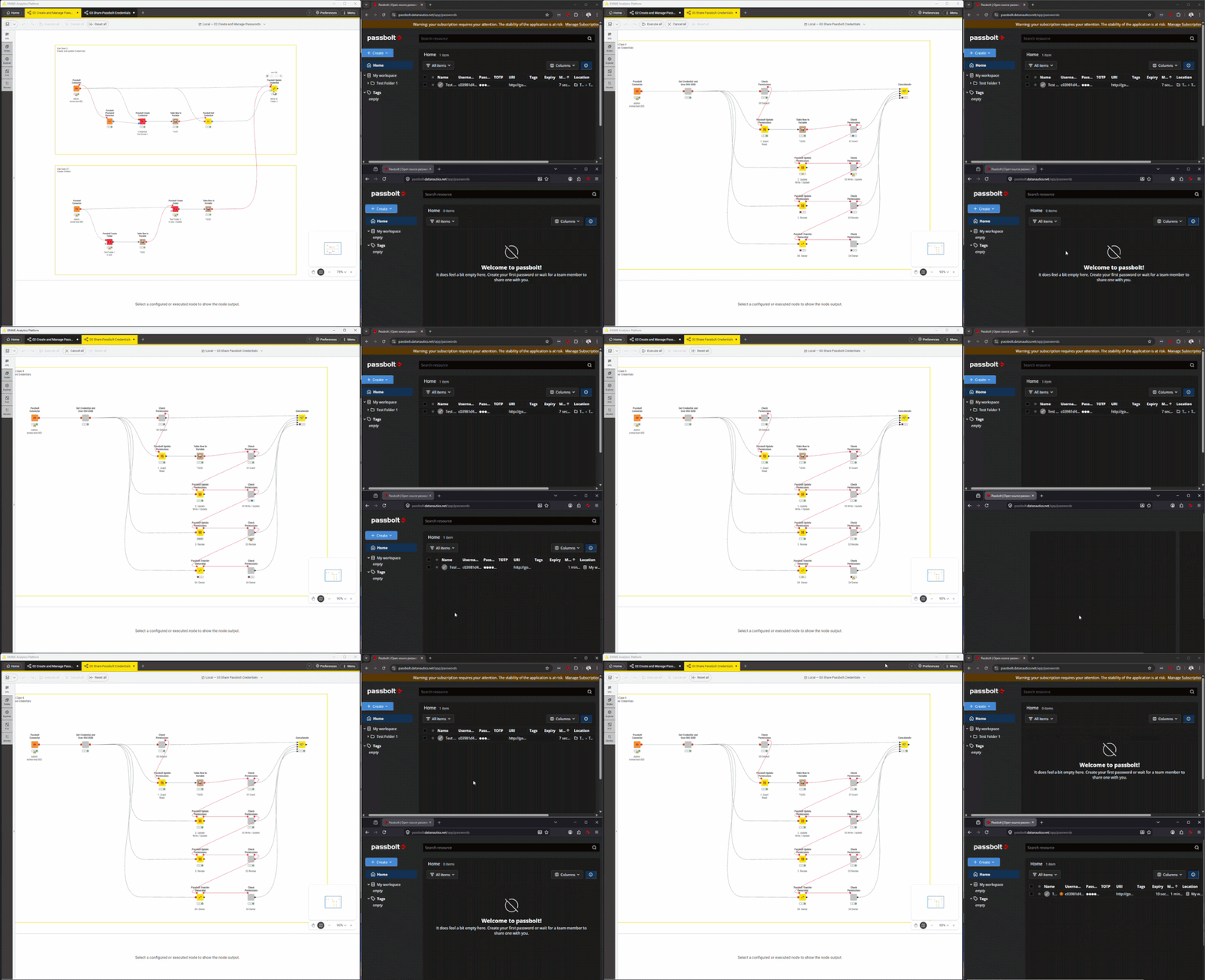
Share Passwords with other users
- Fetch user and credential UUID
- Permissions
- Update: Grant, Write / Update or Revoke
- Transfer Ownership
- Done
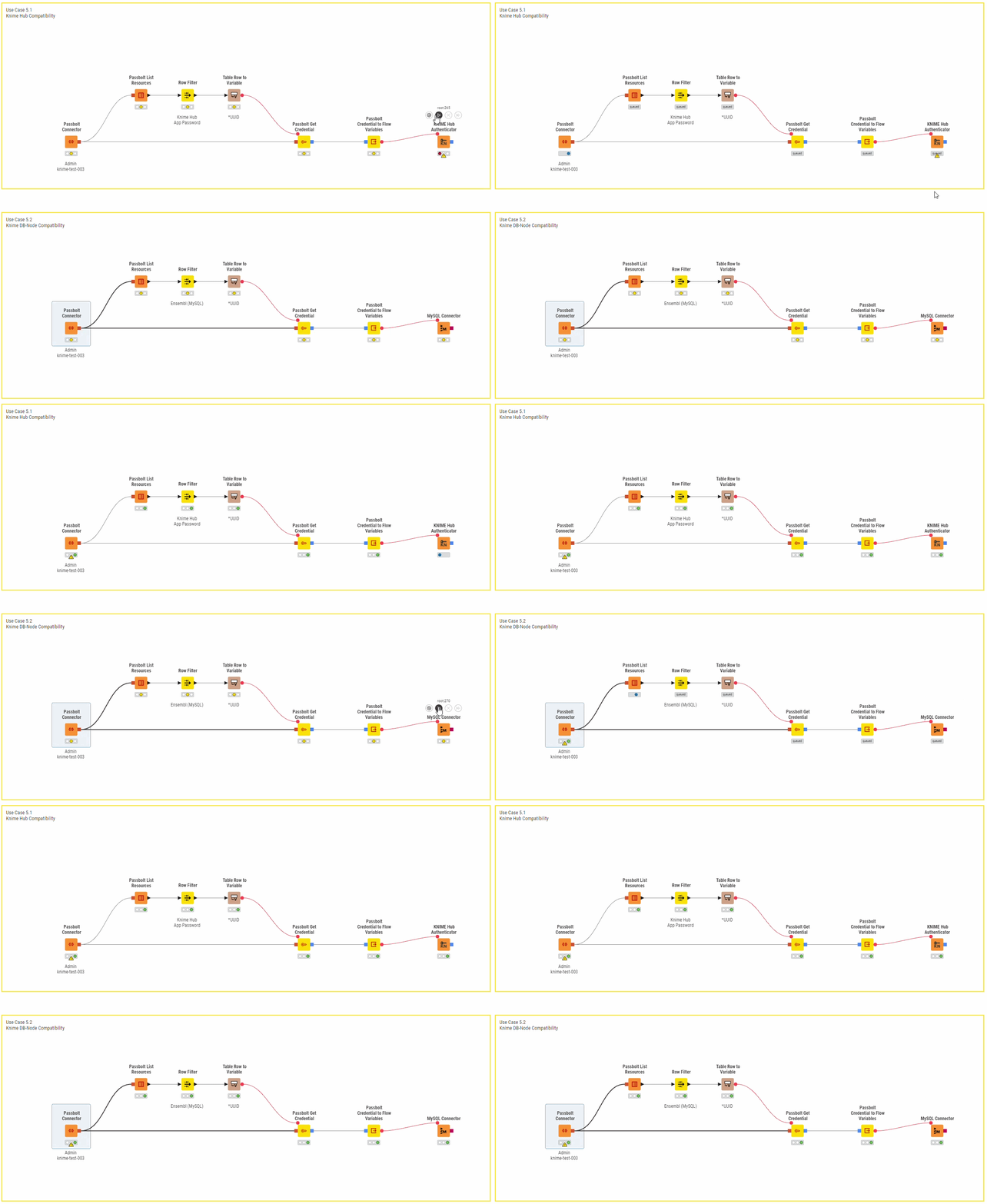
Knime Node compatible
- Passbolt to Knime Hub
- Passbolt to MySQL
- And much more!
Target Audience for the passbolt KNIME-Extension
User / Data-Engineur
1 Password, many KNIME Workflows
Passwords, 2FA (TOTP), Notes and Custom Fields
X-Device: Windows, macOS, Android, iPhone etc.
Team- / Projekt-Manager
1-Klick Team-Setup
Central Credential Management
Passbolt Erweiterung Überblick
| Node / Capability | Community | Pro | Enterprise | |
|---|---|---|---|---|
| Connection | Connector | ✓ | ✓ | ✓ |
| Configured Passbolt servers / mountpoints | ∞ | ∞ | ∞ | |
| Read | Resources, Folders (List) | ✓ | ✓ | ✓ |
| Secret, TOTP, Permissions, Note, Custom Fields (Get) | ✓ | ✓ | ✓ | |
| Passbolt → Typed Credential, Passbolt → File | ✓ | ✓ | ✓ | |
| Credential ↔ FlowVariable converters* | ✓ | ✓ | ✓ | |
| Compare Credentials | ✓ | ✓ | ✓ | |
| Password Generator | ✓ | ✓ | ✓ | |
| Credentials | Credential (Create / Update* / Delete) | ✓ | ✓ | |
| Note, TOTP, Custom Fields (Create** / Update** / Delete) | ✓ | ✓ | ||
| Folders & resources | Folder (Create / Update / Delete) | ✓ | ✓ | |
| Move Resource* | ✓ | ✓ | ||
| Sharing | Share Crecential, Transfer Ownership | ✓ | ✓ | |
| Search Recipients* | ✓ | ✓ | ||
| Migration | Example migration workflows (KNIME Hub to Passbolt) | ✓ | ✓ | ✓ |
| Migrate Hub Secret (Credential, File*) | ✓ | ✓ | ✓ | |
| KNIME Hub (Connect, List Secrets, Get Secret) | ✓ | ✓ | ✓ | |
| Admin & Audit | Users (List*, Get Details*, Delete) | ✓ | ✓ | |
| Meta (List Groups*, List Tags*, Server Settings*, Healthcheck*) | ✓ | ✓ | ||
| Audit Log | ✓ | ✓ | ||
| Deployment | Air-gap installation (heartbeat-suppressed Connector) | 🛈 | 🛈 | |
| Enterprise services | Priority support: SLA covers HA / DR consulting (per incident / retainer) | ✓ | ||
| Roll-out support | ✓ | |||
| Bulk extension licensing | ✓ |
🛈 Optional on request
* Beta-Nodes
** In development
Free passbolt KNIME-Extension license
Get your Pro-trail today! You will receive
- 14-days free passbolt business trail
- A free test-server withing 5 minutes!
- 30 days pro-trail of the passbolt KNIME-Extension
Lizenz
FAQ - Frequent Questions and Answers about the passbolt Erweiterung for Knime
Which Knime Version are supported?
Supported Knime Analytics Platform versions are:
- STS 5.11.0 (Standard Release)
- LTS 5.8.1 (Long Term Support)
Support for older Knime AP versionen can be established on request.
How to install the passbold KNIME-Extension?
- Download and install Knime: https://www.knime.com/downloads
- Start Knime, then:
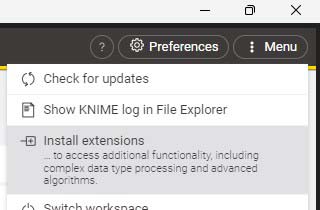
- Modern UI (MUI): Menu (top right) > Install extensions

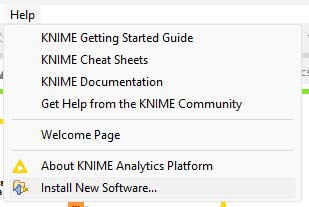
- In Classic UI (CUI): Help > Install New Software
- Modern UI (MUI): Menu (top right) > Install extensions
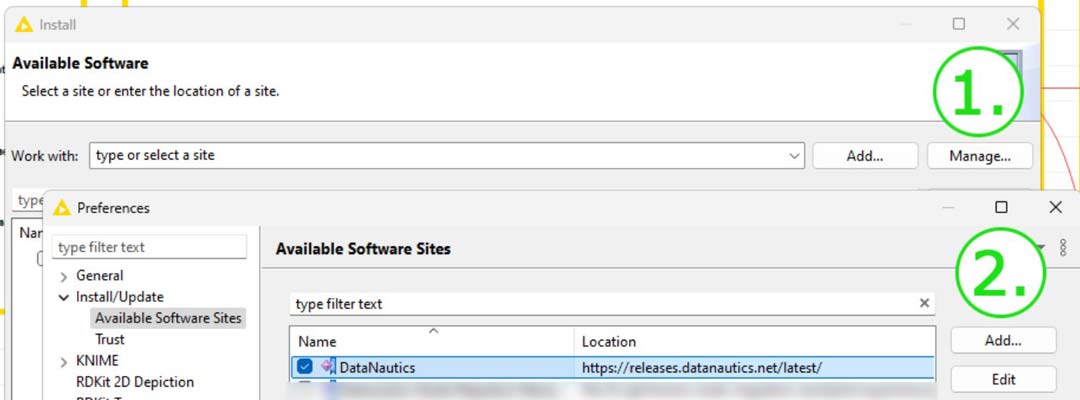
- Click "Manage" > "Add", then enter "Datanautics" as the name and the URL https://releases.datanautics.net/latest/ > click "Add" to save
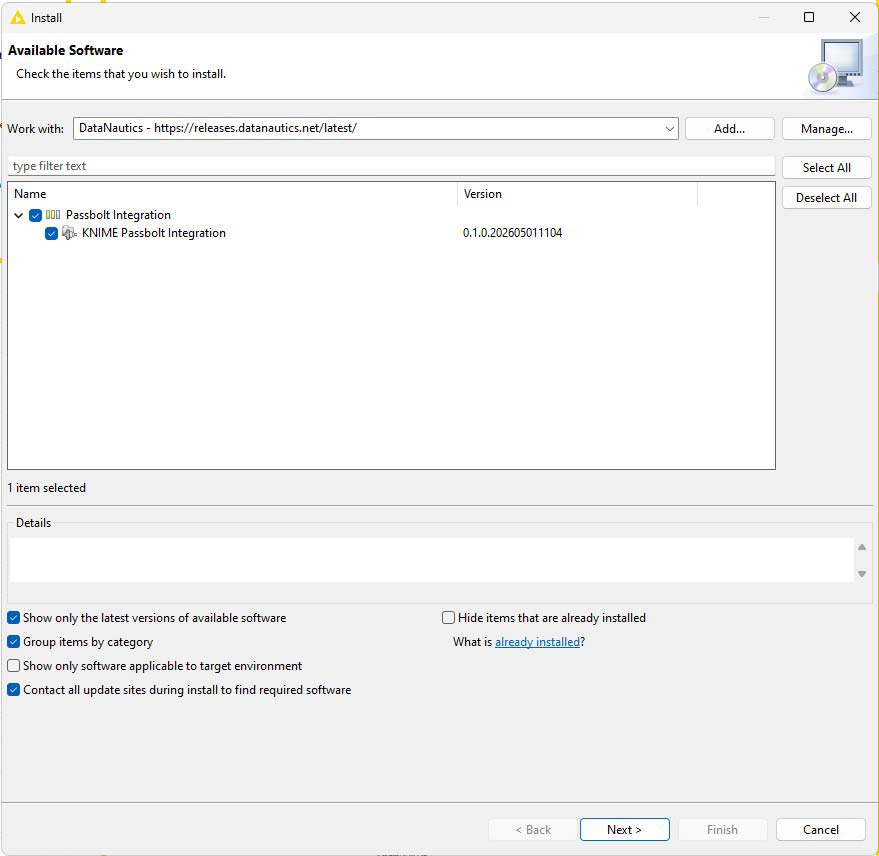
- You should now have the repository setup and be able to install the Passbolt KNIME-Extension as dispalyed below
- Restart Knime
How much costs the passbolt KNIME-Extension?
With our partner Passbolt we are evaluating a bundled pricing model.
When will the stable release be published?
The official stable release is planned for Juni, 30th 2026.
Kontakt